Expense tracker without bank login
No linking. No credentials. No aggregators in the middle.
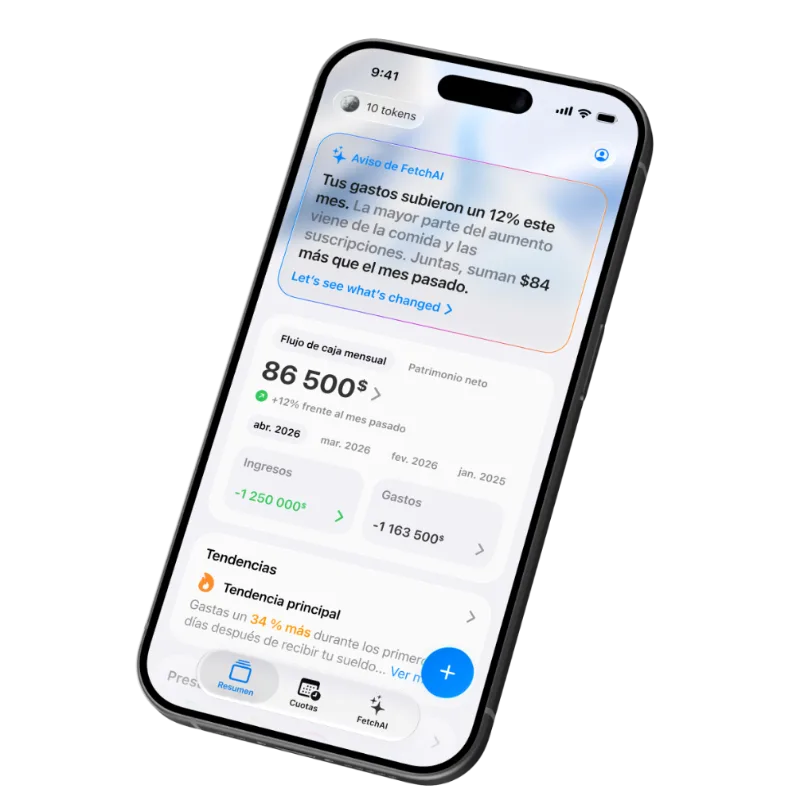
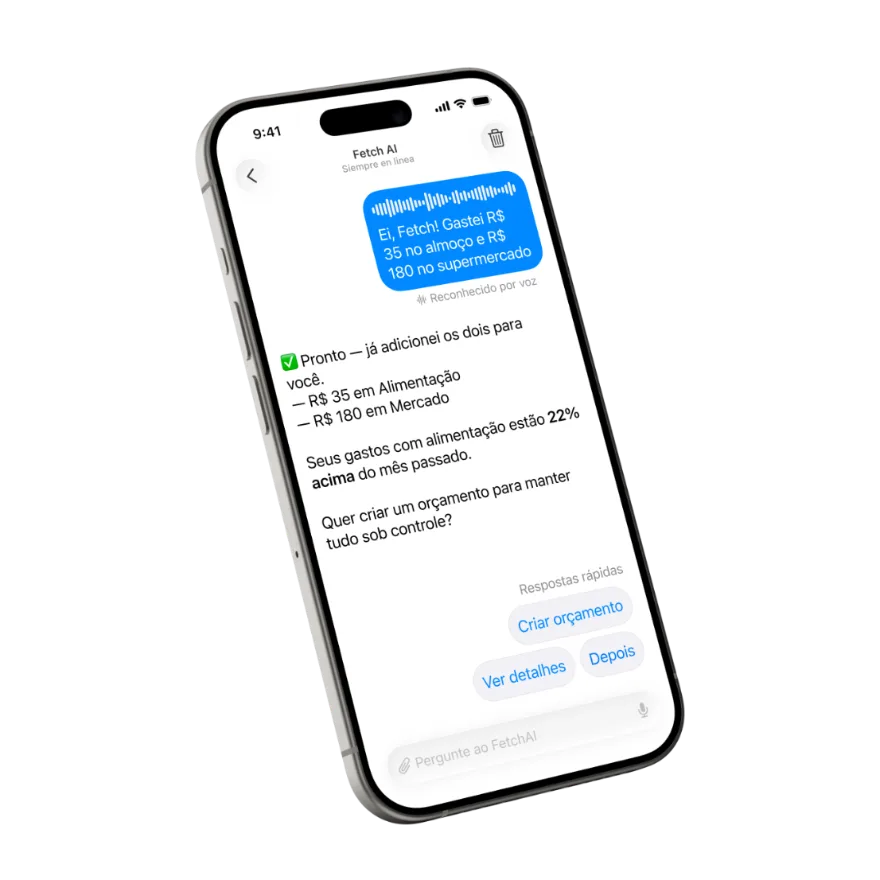
You want to know where your money goes — you just don't want to hand your bank credentials to yet another app. Fair. Fetch is a personal finance app that does expense tracking without connecting to your bank at all: you show it the expense (photo, voice, or statement) and the AI does the rest.
Why more people track without linking their bank
- You decide what's in. Joint accounts, cash, meal cards, the account that's nobody's business — with auto-sync it's all or nothing.
- Nothing breaks. Bank connections drop, demand re-authorization, or lose transactions. A receipt photo works every time.
- Smaller attack surface. No shared credentials, no aggregator holding the keys — nothing to leak.
How Fetch tracks spending without bank access
1. Snap a receipt
Take a photo and you're done: the AI reads the amount, merchant, and category, and your budget updates in about 5 seconds. No typing.
2. Just say it
"Spent $12 on lunch, $45 on groceries." The AI turns your words into categorized transactions — voice expense tracking, right in the app.
3. Upload a statement — no passwords
Want your bank history in? Download your statement as a PDF (or photograph it) and upload. Every transaction is read and categorized automatically. Your banking data enters the app when you choose — with zero credentials shared.
And on iPhone, a fourth way in: every Apple Pay purchase logs itself through a Shortcuts automation — log Apple Pay purchases automatically with a Shortcut, still with no bank login.
What you gain (and the one thing you don't)
| Fetch (no linking) | Bank-linked apps | |
|---|---|---|
| Bank credentials | Never leave your bank | Shared with an aggregator |
| What gets tracked | Only what you log | Everything on the linked account |
| Cash and meal cards | Tracked like anything else | Left out |
| Supported banks | All of them — nothing to integrate | Depends on the app's coverage |
| Currencies | 170+, converted automatically | Usually the account currency |
| Effort per expense | ~5 seconds (photo or voice) | Automatic |
Honest trade-off: real-time auto-import is the one thing you give up. In exchange, those 5 seconds do something no sync ever will — you notice the expense while it's happening. That's how tracking becomes a habit, and the habit is what actually saves money.
Frequently asked questions
Does Fetch need access to my bank account?
No. Fetch never asks for bank credentials, aggregator logins, or account access. You log expenses by photo, voice, or statement upload — and you decide what goes in.
How does it track expenses without bank syncing?
Three ways: snap a receipt (AI reads amount, merchant, and category in about 5 seconds), say it out loud ("spent $12 on lunch"), or upload a bank statement as PDF or photo — no passwords involved.
Does it work with any bank?
Yes. Since Fetch connects to nothing, it works with every bank — plus cash, meal cards, and 170+ currencies with automatic conversion.
Is my financial data safe?
Your data is yours. Fetch does not sell it or share it for ads — and since you never link a bank, your credentials never leave your bank.
Is Fetch free?
Free to start. Download it and log your first expense in seconds.
Isn't manual tracking a lot of work?
It's not manual: you take a photo or speak, and the AI does the reading, categorizing, and budget math — about 5 seconds per expense, 30 seconds a day.
Track everything. Link nothing.
Snap a receipt. Talk to the AI. See where your money really goes.